
| Form Factor: Full size (100%) | Switch: SteelSeries QS1 | Connector: USB | Keyboard Software: SteelSeries Engine |
| Dimensions (cm) (W x H x D): |
|
| Weight (Kg): |
|
| Price: | $199 (2015 MSRP) |
| RGB Lighting: | Yes |
| Hotswap: | No |
| Media Controls: | Yes (non-dedicated) |
| Macro Keys: | Yes |
| Removable Cable: | No |
| Windows Lock: | Yes |
| Keyboard Status: | Fully working |
| Other Notable Features: |
|
The SteelSeries Apex M800 was an innovative keyboard just over 10 years ago. One of its major highlights was the centre mounted RGB LEDs around the switch mechanism. The only other mainstream manufacturer who did this at the time was Logitech with their Romer-G switch.
Plus, this was one of the premium options at the time being priced at $199 ($277) – the others being the Corsair K95 priced at $189 ($263), the Logitech G910 priced at $179 ($249) and the Razer BlackWidow priced at $149 ($207).
Its other feature is a really big spacebar… because ‘why not’, I guess.
TL;DR
10 years on, and I still think this keyboard has some merit. Sure, the market has moved on, and many cheapo keebs out there can outperform it. But for the right price, this can still hold its own against budget modern mechs on the market. Honestly, it’s a great keyboard, and it’s a real shame it wasn’t more popular (then again, it was ridiculously expensive!)
Build Quality: 8/10
Chassis: Plastic is used for both the top and bottom housing. They barely creak when flexed; impressive for a 10-year-old keyboard.
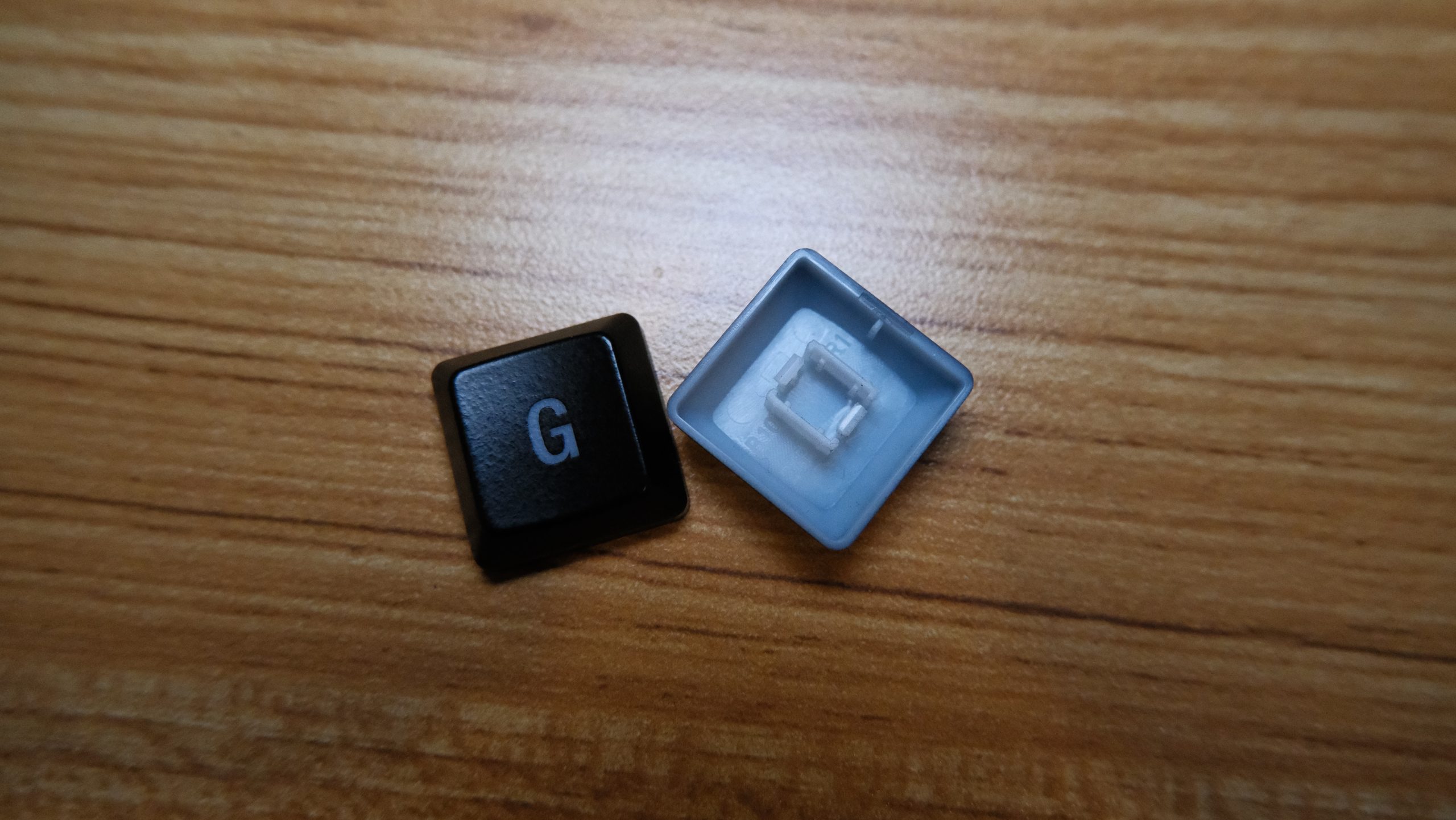
Keycaps: Laser ablated, ABS – this was the standard of the time, with most manufactures opting for this method, especially if their keyboard featured RGB LEDs.
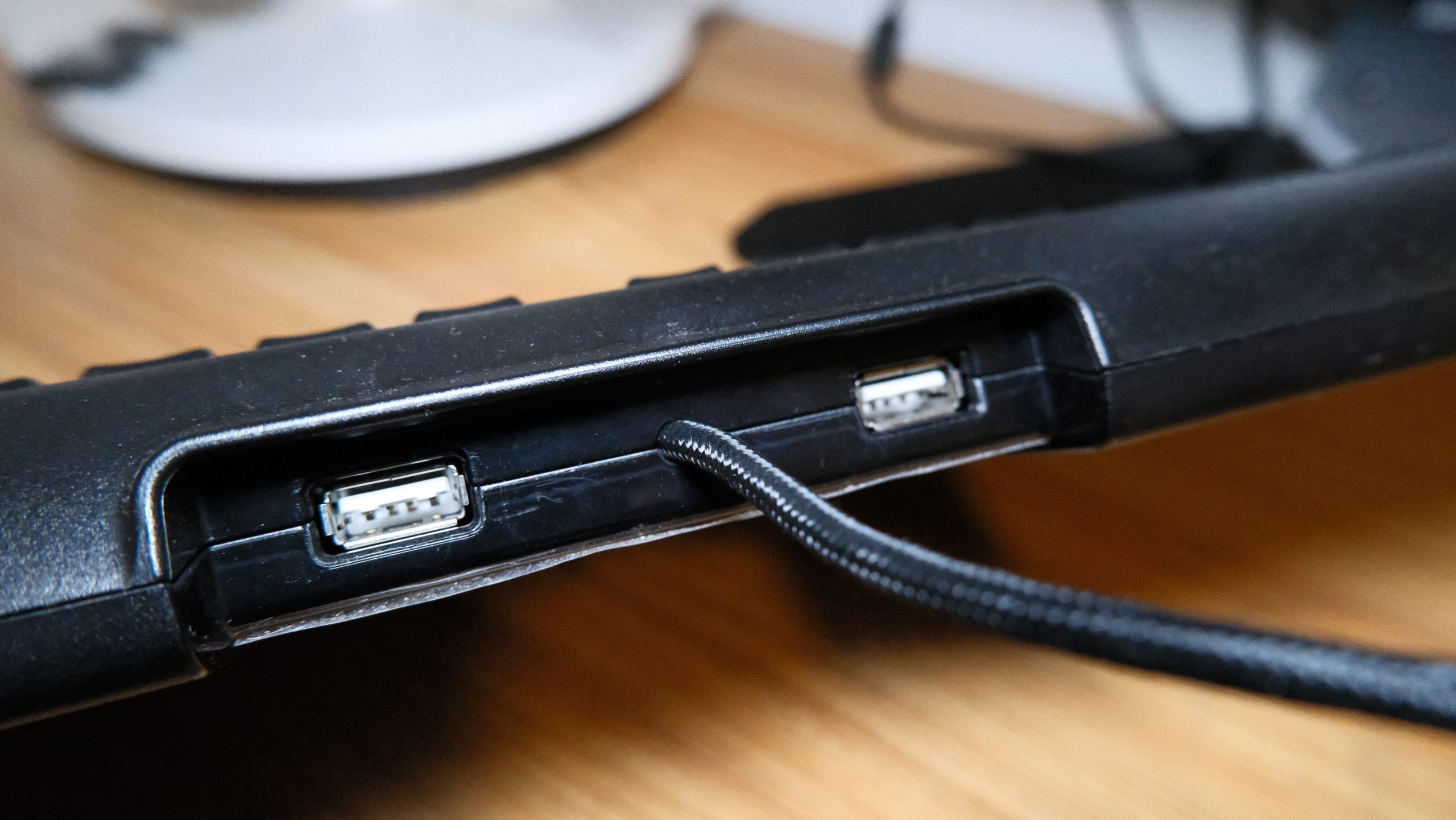
Cable: 2x USB-A. One to power the keyboard and one for the 2 USB pass-throughs. It’s braided, but not removable.
Overall, it’s very well built. Its biggest let-down with is its keycaps. Not only are they cheaply made, they’re also of a propriety design, so will be impossible to find replacement keycaps if any of them break.
 |
 |
|---|---|
Features: 7/10
Standout feature(s): There are 3 standout features on this keyboard.
The main one, undoubtably is its switch – The SteelSeries QS1 – it is a low-profile switch with a centre mounted RGB LED. At the time, the only other switch with a similar design was Romer-G. However, Asus would later design its own centre mounted RGB LED switch, which they would end up calling the ROG RX Red Optical.
Secondly, it has 2 USB pass-throughs. Most premium keyboards only have 1, if any. So, having 2 was unique, and very practical.
Lastly, it has a big, fat spacebar. My guess as to why they did this was to increase the chances of not hitting the spacebar… which doesn’t make a lot of sense given it’s the biggest key on most keyboards.
Unusual feature(s): This keyboard has 2 very unusual features.
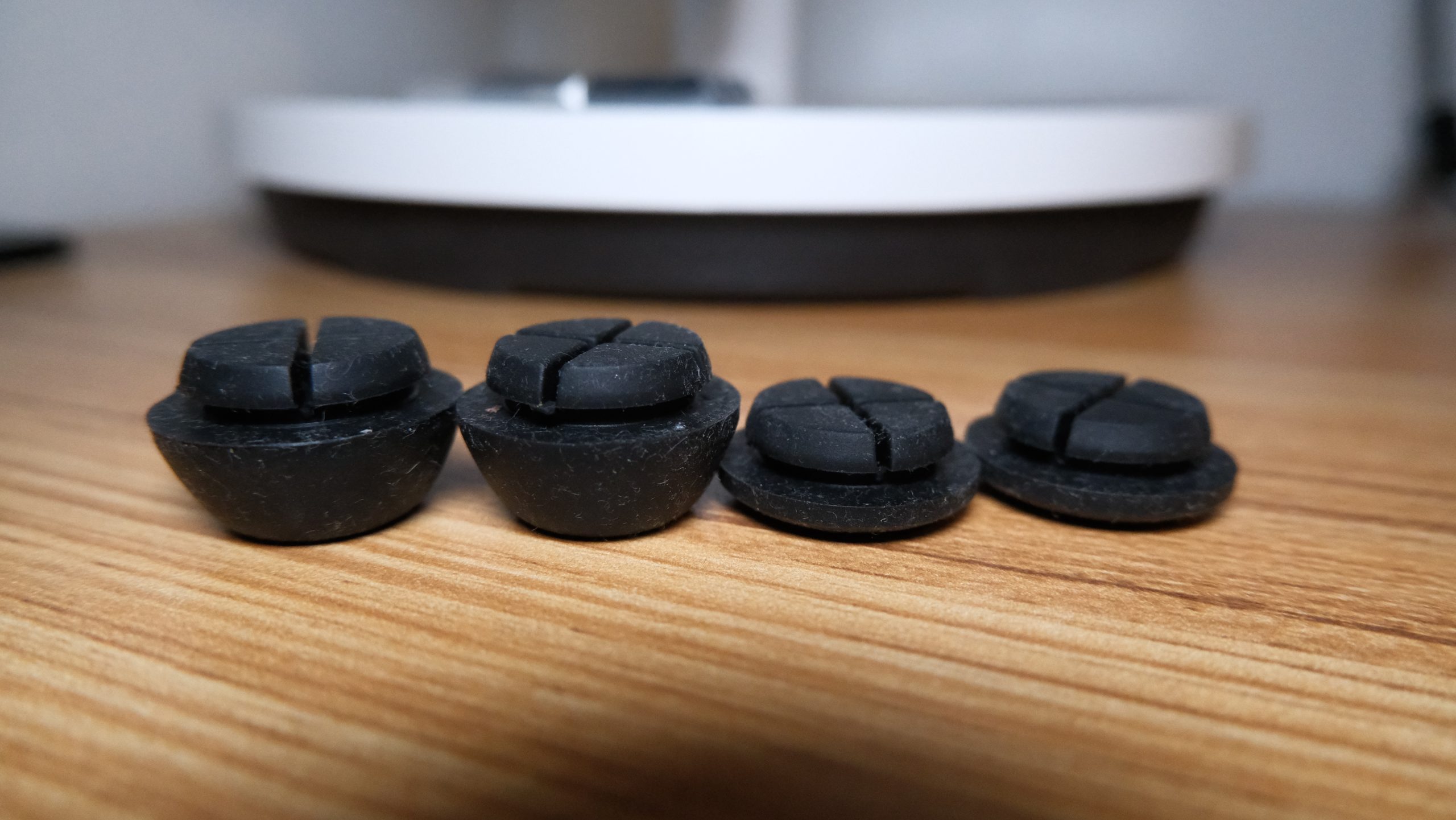
Firstly, it has 2 pairs of removable rubber feet. There is a pair for a lower typing angle and another for a higher typing angle.
Secondly, it has homing bumps on the “W” key – presumably as a guide to your left middle finger in FPS games.
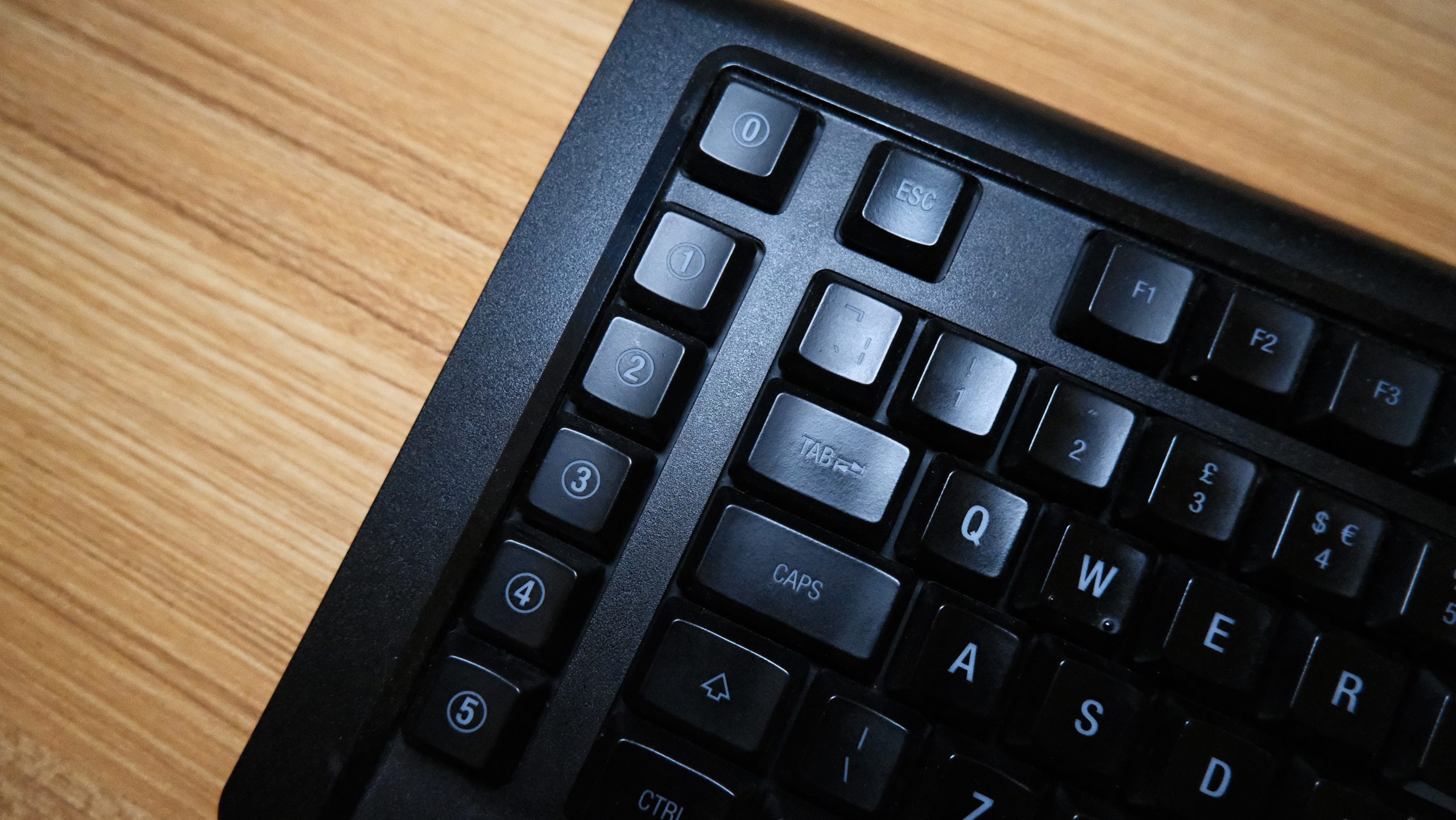
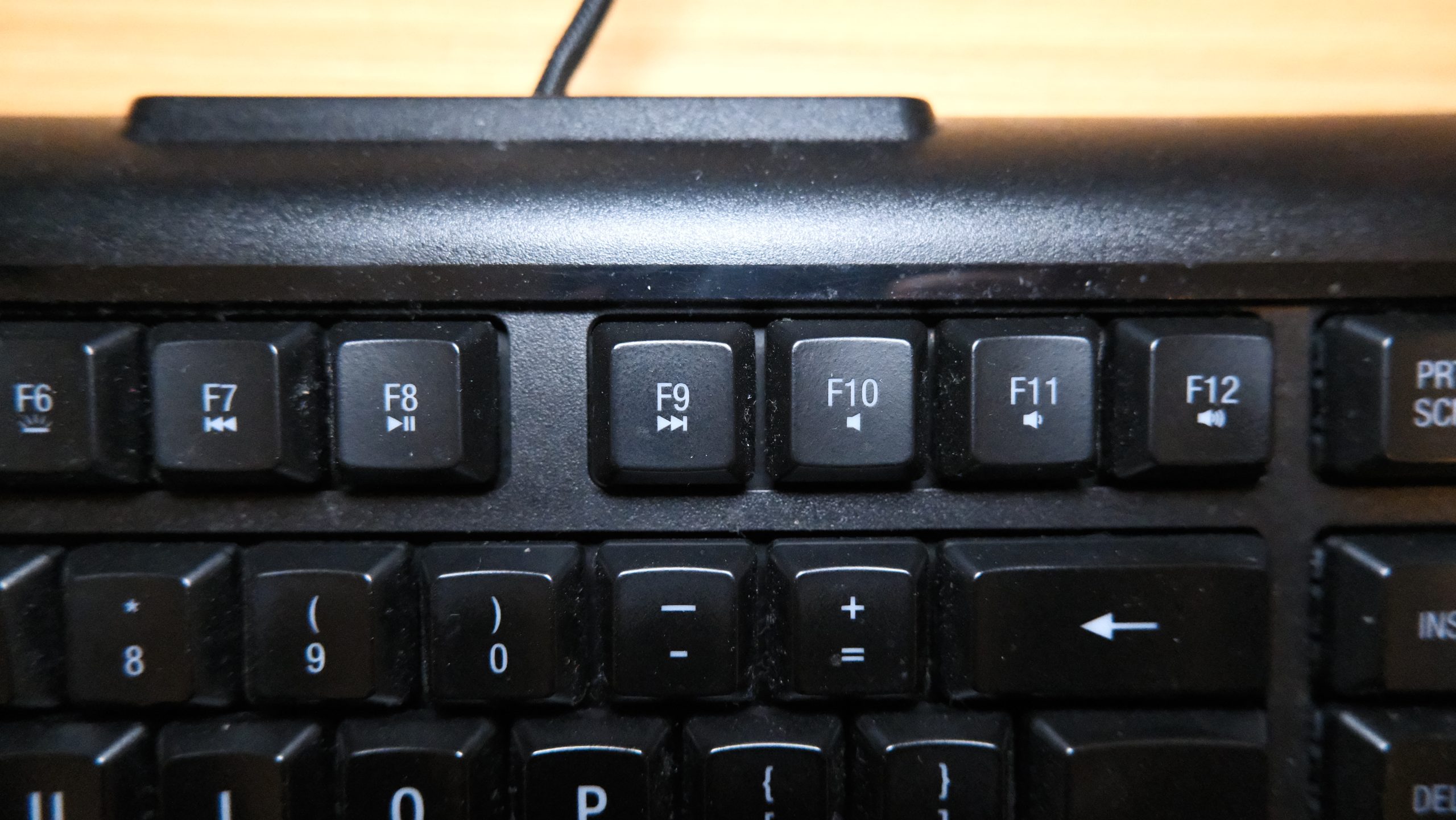
Other notable features include: per-key RGB, media keys (non-dedicated), 6 macro keys (dedicated), n-key rollover, and MAC keycaps.
 |
 |
|---|---|
Overall, this would’ve been considered a ‘fully loaded’ keyboard a decade ago, and it still has a lot of features gamers look for. However, with hotswap keyboards now being the norm, this falls short in today’s market.
Daily Performance: 7/10
Positives:
Even though it has a non-standard layout, the keys are all in familiar places. The addition of the 6 macro keys on the left may feel unusual at first, but they’re quick to get used to. Plus, the SteelSeries Engine software is user friendly and I find it to be the easiest propriety software to use.
Meh:
The switches are smooth and consistent enough, but as they’re contact-based, they’re no longer the smoothest on the market. Plus, some of them produce a subtle tactile bump when pressed very slowly. Although this isn’t noticeable in everyday use.
Negatives:
Any RGB or macros you’ve configured won’t work as soon as you close the software. This means you need to have the software running in the background for them to work. I personally dislike this as SteelSeries could’ve installed enough memory for keyboard side saving, but chose not to, and it uses additional computer resources (albeit in very small amounts).
 |
 |
|---|---|
Overall, it certainly has its shortcomings, especially in today’s world, but if you don’t care much about the RGB or macros and are just in for the somewhat unusual switch, then you’d find this to be a quite a pleasant experience.
Reliability: 7/10
It’s a mechanical keyboard, so it’s already more reliable than a rubber dome. SteelSeries has rated these switches a 60-million-click lifespan, which was 10-million more than the Cherry MX Red of its time. However, modern switches, including newer iterations of the Cherry MX Red, are rated for more than 100-million actuations. So, even though this was the market leader in its day, it once again falls short in today’s world.
However, I’m happy to report that the RGB LEDs still shine bright. The colours are still accurate and none seem to have faded with time or have developed any issues as far as I can see.
The keycaps have also held up just fine. However, they are fragile, and many M800s on the second-hand market have keycap issues – they’ve either faded or one of the stems has snapped. Those are two of the most common issues of this board.
Overall, they’ve held up surprisingly well! And it’s abundantly clear that it has a lot more life left in it… assuming it’s well cared for.
Value: 2/10
These are no longer being made, so they’re only available on the second-hand market. At the time of writing this review, there are 4 listed on eBay. The cheapest being £21 and the most expensive sitting at £68. All 4 keyboards have keycap issues.
In my opinion, it isn’t worth it even at the cheapest price. There are now plenty of second-hand mechanical keyboards that are equal to or even less in price. The Corsair K70 (or K95) or a Razer BlackWidow of its generation offer better value as they’re more reliable, but there are keyboards from Akko and Redragon which are similarly priced, and many can be bought brand new from around £50 – £60.
Overall, this is a poor value from a practical standpoint, with so many keyboards able to outperform it. The only reason to buy this is for the SteelSeries QS1 switch, which even then isn’t really anything to write home about.
Final Score = 31/50 (62%)