
| Switch Type: Linear |
| Actuation Point (mm): | 1.5 | Actuation Point (mm): | 1.61 |
| Actuation Force (gf): | 45 | Actuation Force (gf): | 45.6 |
| Total Travel (mm): | 4.0 | Total Travel (mm): | 4.03 |
| Reset Point (mm): | Reset Point (mm): | 1.61 | |
| Bottom-out Force (gf): | 55 | Bottom-out Force (gf): | 56.9 |
TL;DR
I can’t deny it; Asus has made a really good switch. They’re smooth, consistent, weighted just right for most people and aren’t too sensitive. Asus has managed to balance both gaming and productivity into one switch, although, unsurprisingly, it’s still gaming focussed. It’s a shame it uses a propriety mount.
Smoothness: 9/10
On-centre keypresses are ultra smooth with no noticeable scratchiness or inconsistencies even at very slow keypresses.
Off-center keypresses are very smooth with only very minor levels of scratchiness and inconsistency at very slow keypresses.
Overall, these may be the scratchiest optical switches I’ve tested – and even with that said, they’re still smoother than 90% of switches out there.
Weighting: 5/10
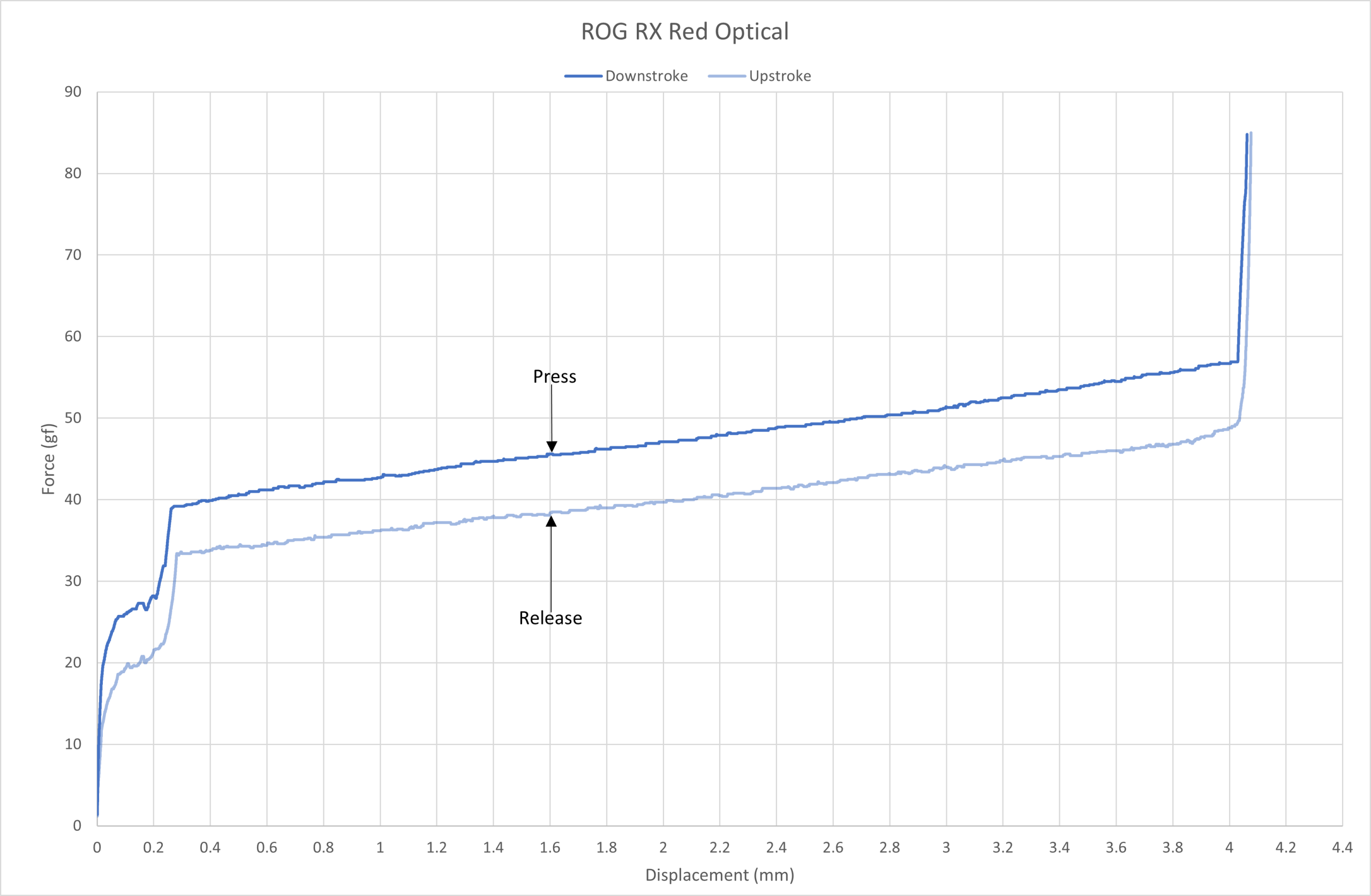
Now, according to Asus these switches have an actuation force of 45g at 1.5mm, and a bottom-out force of 55g at 4mm.
ROG RX Red Optical force curve.
As you can see from the force curve above, the ROG RX Red Optical is on spec in all areas, which is great to see.
ROG RX Red Optical consistency force curve.
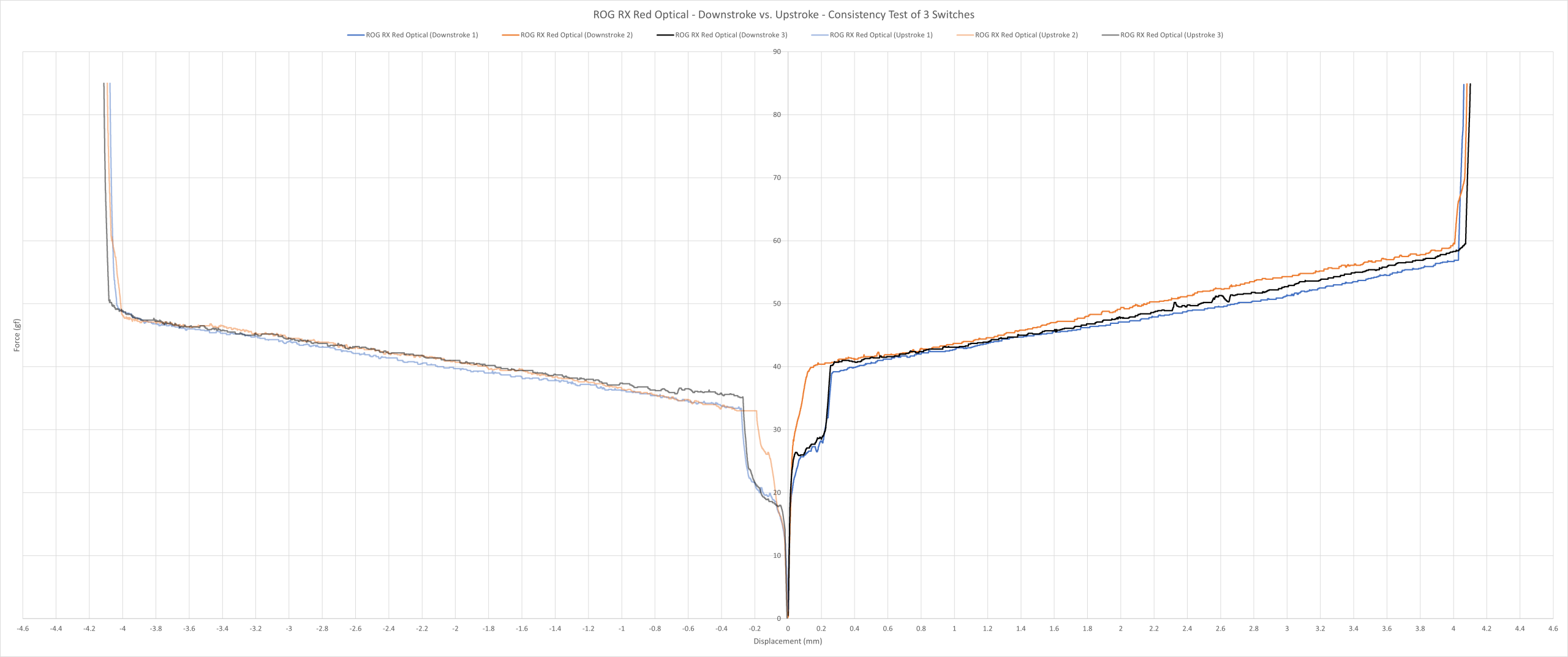
As you can see above, they’re very consistent with only very slight variances between the 3 switches. Although I would consider any variances between the three switches to be within acceptable tolerances.
ROG RX Red Optical vs. Roccat Titan Optical (Linear) force curve.
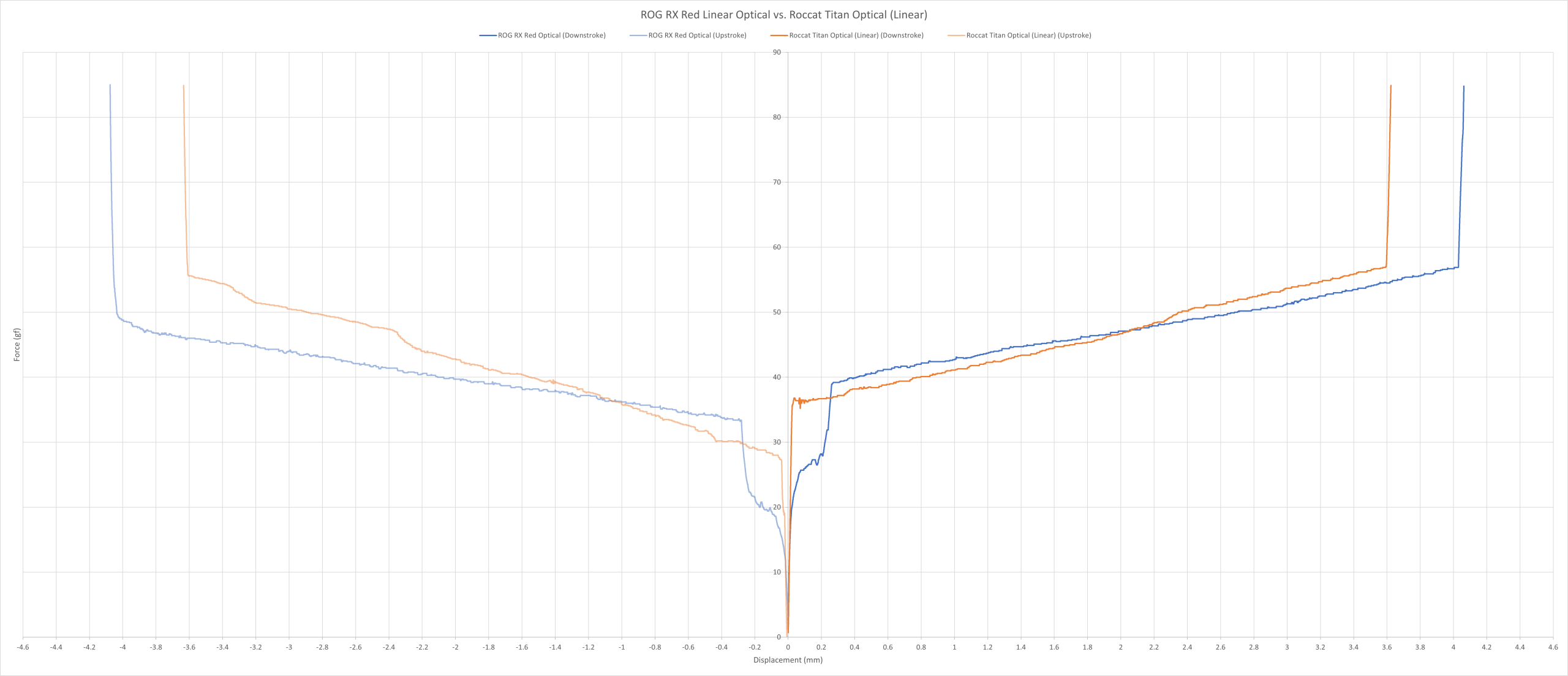
The force curve above shows the comparison between the ROG RX Red Linear Optical and the Roccat Titan Optical (Linear). Both switches are very similar weighting wise, with the only notable difference being their total travel. The Asus switch has a longer, more traditional 4mm travel.
ROG RX Red Optical vs. Cherry MX Red force curve.
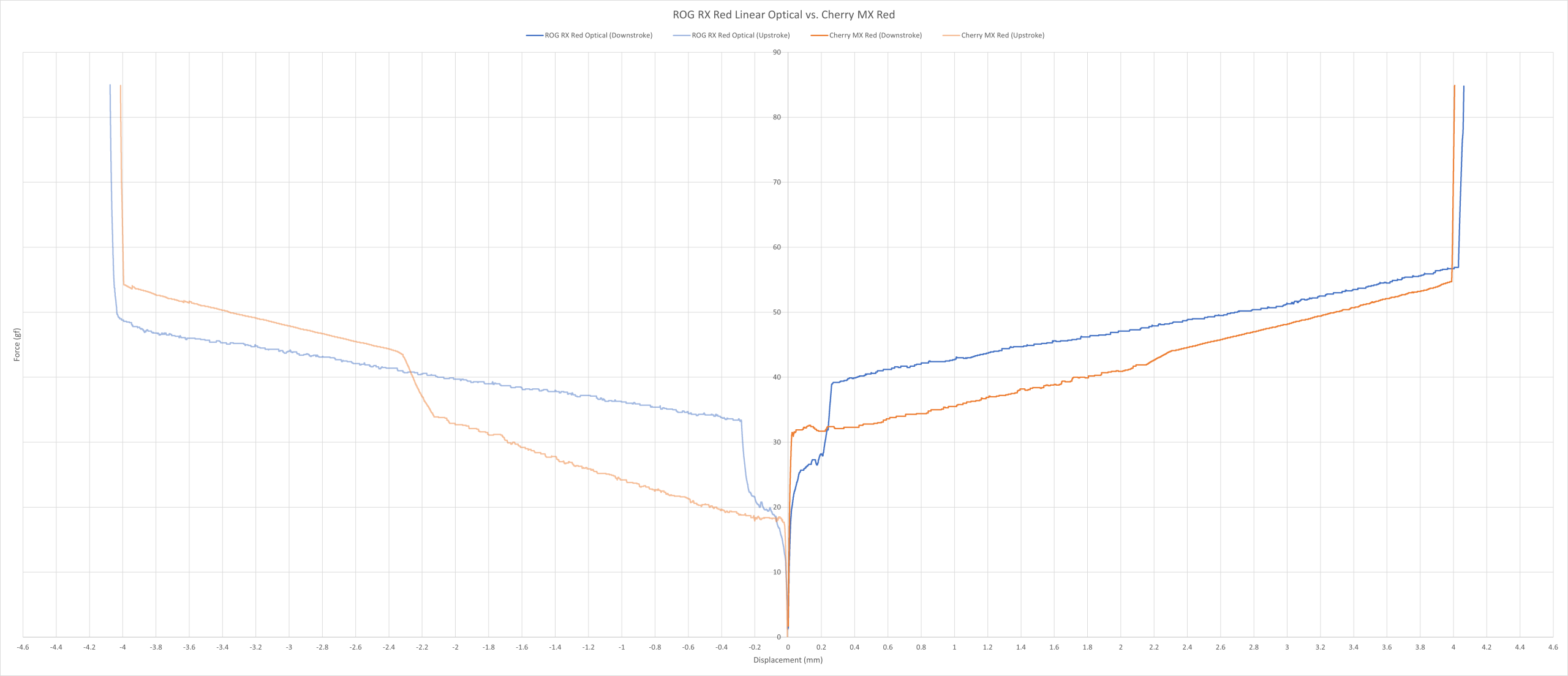
The force curve above shows the comparison between the ROG RX Red Linear Optical and the Cherry MX Red. The MX Red is roughly 8 grams lighter at the start, but closes to around 2 grams lighter towards the end of its travel.
Overall, even though they’re heavier than the MX Red, they’re still lightly weighted switches to my fingers. Plus, they’re also more sensitive than I’d like. However, they’re extremely consistent, being they’re contactless switches.
Sound: 7/10
They’re loud. I’d rank these as one of the loudest linear switches I’ve tested in a while. So, if you’re looking for a quiet switch… these are definitely not it!
Other than that, they have a clacky, chunky sound to them. Plus, they’re absent of any noises resembling scratchiness or inconsistencies.
Overall, apart from the spacebar rattle (which is annoying), I like how they sound, but they aren’t getting any awards from me anytime soon.
Typing Performance: 5/10
As much as Asus has done their best to make these switches liveable to type on, they’re still on the sensitive side for most typists, and far too light for me in the weighting department.
It’s clear Asus designed this with gaming in mind. I still make more typos than usual given how light and sensitive the switches are.
However, as with many optical switches, they were very smooth and extremely consistent throughout my testing. So, no faults here at all.
Overall, these switches would probably work for you if you’re already used to typing on very light, sensitive switches. Otherwise, I’d stay away from them.
Gaming Performance: 7/10
Unsurprisingly, these were very good switches for gaming. They’re well suited for both fast and slow-paced games with no major issues regarding smoothness or consistency. Although, they’re a little too light for my tastes, but that’s entirely my preference.
Overall, the formula is clear: linear design + contactless = smooth & consistent. And I’m glad to report that Asus did it correctly with these.
Final Score = 33/50 (66%)